This article provides instructions to enhance the security of web applications by recommending setting the permissions of configuration files to 600 or 400 to prevent unauthorized reading. It points out that global permissions (777) are no longer necessary. Additionally, it emphasizes the importance of regularly updating web applications and using secure passwords. Further security advice includes the use of tools such as the Plesk File Manager and FileZilla.
| Please ensure that going forward you no longer set files to global permissions (777), as this is no longer needed and thus security remains ensured. |
To protect your data from manipulation, two more steps are required from your side, which we explain here:
Step 1 - Configuration Files
Step 2 - Security Recommendations
Step 1 - Configuration Files
After setting permissions, configuration files are no longer globally writable but are still globally readable.
Most configuration files contain database, FTP, or email passwords, which could allow manipulation of your data.
Change the permissions of these critical configuration files without exception to 600 or 400 (rw-------) to protect them from unauthorized reading.
Below is a table of the most common web applications and their configuration files:
| Joomla: | configuration.php |
| WordPress: | wp-config.php |
| Typo3: | typo3conf/localconf.php |
| Drupal | settings.php |
Step 2 - Security Recommendations
Plesk File Manager
FTP Program FileZilla
Plesk File Manager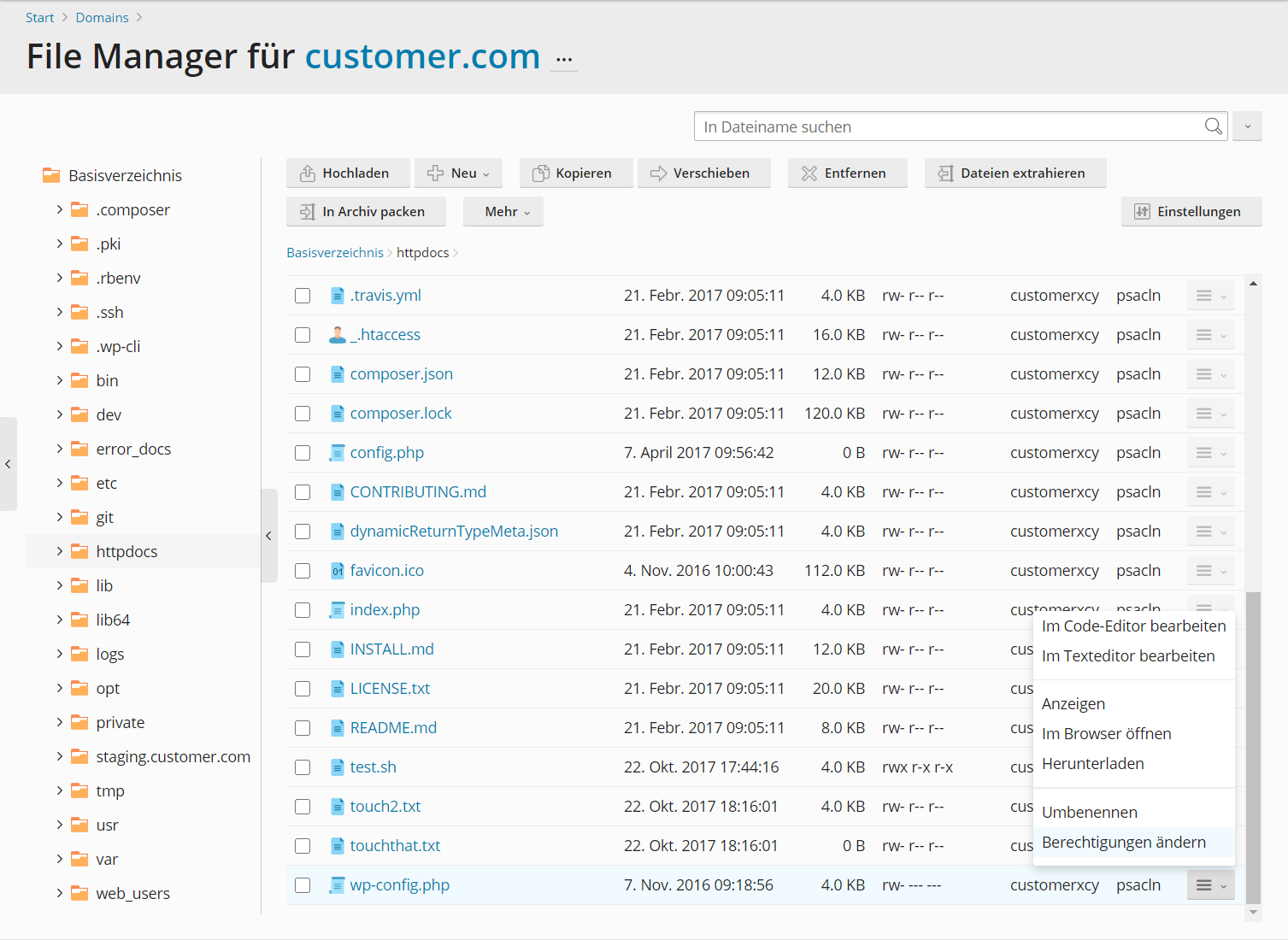
FTP Program FileZilla
Here you will find instructions for setting up the FTP program FileZilla: FTP: Set up program
In addition to setting permissions, the following is important to protect your website from manipulation:
- Always update web applications to the latest versions.
- Create passwords for web applications, FTP, and databases using a password generator.
Further steps to protect your web data from unauthorized access can be found in our security recommendations.